

Do you want your software or SaaS product to be used all over the world in multiple languages? If your answer is yes, it’s time to think about localization (l10n). This is an advanced guide for Product Owners and developers, which you can take and implement.
In this guide, you will learn:
- The modern approach: understand the difference between outdated waterfall methods, continuous localization, and AI localization workflow.
- A 7-step plan: we will walk you through the entire software localization process, from connecting your code repository to managing translation content and final quality testing.
- Software localization tools to use: learn how a localization platform like Crowdin automates the entire workflow and integrates with the tools you already use, like GitHub and Figma.
What is Software Localization?
Software localization is the technical and linguistic process of adapting a digital product (including its interface, code-driven content, and multimedia) to meet the cultural, legal, and technical requirements of a specific target market.
Interested in the practical part? Jump to the 7 steps to Localize Your Software
Localization Evolution: From Waterfall to AI-Native
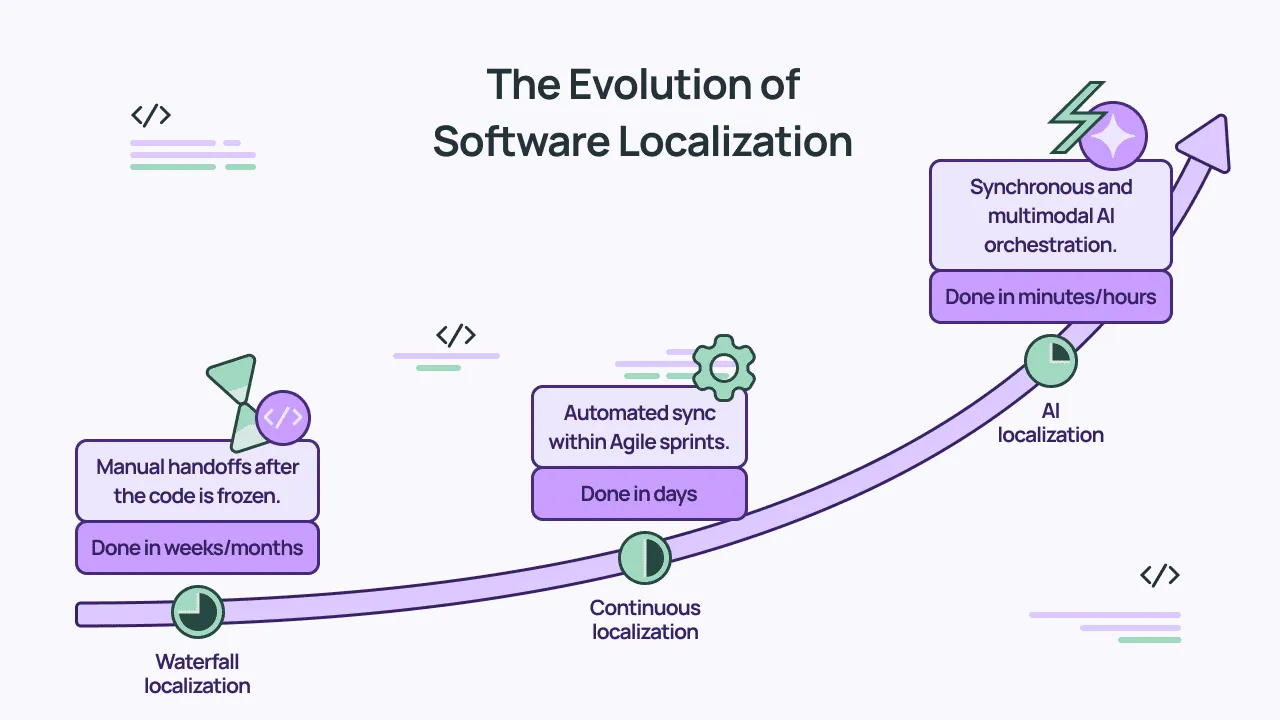
The history of software localization is a story of removing bottlenecks. We have moved from manual files to automated pipelines, and now, to autonomous intelligence.
1. Waterfall Localization
In the waterfall approach, localization was the very last step. After months of coding, developers would export all text into a massive spreadsheet and send it to a translation agency.
By the time the translations came back weeks later, the code had already changed. This created the delay for global launches and led to broken UIs that were expensive to fix.
2. Continuous Localization
As the world moved to Agile and CI/CD, localization became continuous. Instead of waiting for a release, strings are pushed to a platform like Crowdin as soon as a developer opens a pull request.
With a continuous approach, localization happens in parallel with development. This allows for simultaneous releases in all markets – the day your English feature is ready, the French, German, and Japanese versions are ready too.
3. AI Localization
We have now entered the era of AI localization. This is not just about AI for translation, it’s also about using AI to manage the entire complex workflow. In this stage, AI acts as an orchestrator that:
- Assigns tasks. Automatically routes content to the right AI agent or human expert based on the technicality of the string.
- Pre-checks content. Analyzes source text for errors or lack of context before translation begins, saving time and credits.
- Harvests context. Pulls data from code comments to ensure the “AI-Project Manager” knows exactly where a button lives.
- Signals missing context. Analyzes your source strings before translation begins. If a string is ambiguous, AI will flag it as “Context Insufficient” and pause the process until the necessary data is provided.
- Maintains quality. Checks for ICU MessageFormat errors or brand consistency across all platforms (iOS, Android, Web).
Try AI Pipeline for better quality AI translations.
Use this table to determine which localization era you are in.
| Feature | Waterfall | Continuous | AI Localization |
|---|---|---|---|
| Timing | Post-development (End of cycle) | Agile Sprints (Concurrent) | Real-time / Instant (On-commit) |
| Workflow | Manual file exports & emails | Repo Sync | Agentic Orchestration & Auto-PRs |
| Context | None (Static spreadsheets) | Visual (Screenshots) & Dev notes | Semantic (Vector DB, Multimodal, Code-aware) |
| Speed | Weeks / Months | Days | Minutes / Hours |

7-Step Software Localization Process
In 2026, the goal is simultaneous release across all markets. Your translations should move at the same speed as your code.
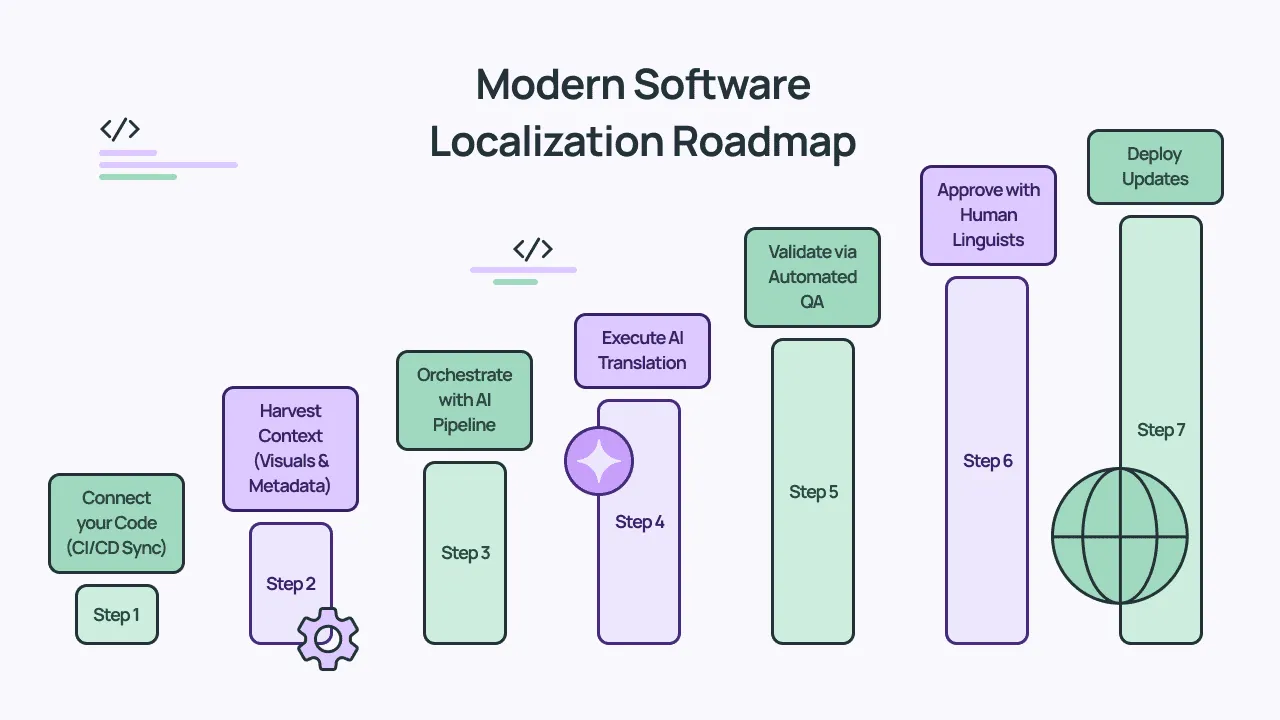
Step 1: Automate Content Extraction (CI/CD Integration)
Use a dedicated l10n branch strategy. When a dev pushes to a feature branch, the Command Line Interface (CLI) scans for new keys in your resource files (e.g., en.json, Localizable.strings). We will expand on Crowdin CLI in this article.
- Your platform should only extract what’s actually changed. This protects your translation memory from being overwritten and saves you from burning through your API quota on identical strings.
- Implement a structured key-naming convention (e.g.,
namespace.component.action) to improve context search efficiency later.
Step 2: Gather Context
As we always say at Crowdin, context is King. If there is not enough context, the translation will be just a guess (for AI and for human translators). Context is especially needed for complex UI localization.
Dynamic Context Mapping
The most efficient approach is to get context directly from your software, using automated crawlers that scan your code and map text directly to your project strings. This helps identify exactly which UI element corresponds to each key in your codebase in real time. If the layout changes, the system automatically refreshes, keeping your context up to date.
For teams looking to push autonomy even further, you can now automate i18n context with AI agents directly inside your IDE, letting them analyze local components and push descriptions back to your workflow dynamically.
Automated Visual Context
Manual screenshot capture and upload are a major bottleneck that slows down development cycles. The good news is that you can automate this process:
- Design Integration: Connect your design tools to ensure that when a designer updates a frame, the visual context for the translator updates instantly.
- CI/CD Triggering: You can automate screenshot uploads directly from your CI/CD pipeline. This guarantees that every new feature branch arrives for translation with its own visual documentation, keeping text tags perfectly aligned.
Semantic Context via Vector Database
Traditional translation memories are limited because they only work with exact or near-perfect matches. If a new string is even slightly different, the system loses the benefit of your past work. The solution is a semantic vector database, which identifies identical meanings rather than just matching words.
Step 3: Set Up the AI Pipeline
To achieve high-quality AI translations, modern localization has moved away from long, all-in-one prompts. Overloading a single prompt with too many instructions often leads to AI hallucinations and logic gaps.
The solution is to build a managed AI pipeline – a sequence of specialized steps that ensures the AI never has to guess.
Why You Need a Managed Pipeline
A single prompt is a black box. If the translation is wrong, it’s impossible to tell where the logic failed. A pipeline breaks the process into logical stages, providing critical advantages:
- Predictive Success: Instead of fixing errors after the fact, the system uses input analysis to run a “context readiness score” on every string.
- Proactive Error Prevention: The pipeline checks for three critical data points: visual (screenshots), technical (dev notes), and structural (key paths).
- Automated Quality Gates: If context is insufficient, the system proactively skips the string and alerts your team via Slack or Jira rather than risking a broken UI.
- Modular Control: You can layer specialized prompts by content type (such as a formal prompt for legal files and a creative one for marketing) without confusing the core translation logic.
Essentially, a pipeline ensures that your software stays “bug-free” technically while sounding authentic linguistically.
Step 4: AI Translation
AI for translation will not work well if you haven’t set it up properly.
Model Selection: Pick Up the Right Engine for the Task
Not all LLMs are equal. A modern localization pipeline routes strings based on the model’s strengths:
- Creative content: High-parameter models such as Claude 4 or Gemini 3 are used for marketing copy, where transcreation and brand voice are critical.
- Technical/Structured data: Use high-reasoning models because such strings often contain logic-in-text. Even though Crowdin hides your source code, the AI must still navigate complex ICU MessageFormat syntax and nested placeholders. A reasoning model ensures the string’s logic remains functional during translation.
- High-volume/Low-context: Faster, lighter models are used for simple UI buttons to keep the pipeline moving at lower speeds.
Content- and Language-Aware Prompting
AI doesn’t just receive an instruction to translate. It receives a dynamic prompt package based on the context from Step 2. You need to prepare specialized prompts for each scenario.
To make this work, you can prepare specialized prompts for each content type: for instance, mapping a formal prompt to legal files while using a creative prompt for marketing content.
You can also layer prompts by language group, adding specific rules for Japanese honorifics, German character limits, or Arabic RTL nuances, ensuring the AI acts exactly as you have defined for every unique content type. Read our guide to AI prompts for translation.
Step 5: Automated QA & Build Testing
You should catch bugs in the translation stage, not in production. TMS can perform automated and custom QA checks for you.
- Placeholder & tag validation: Automated regex checks ensure tag integrity; for example, if the source contains a
<link>tag, the system flags errors if the translation contains a corrupted version like</ink> - Stress test with pseudolocalization: Replace characters with accented versions and double the length (e.g., Edit becomes [!!! Ééððíítt !!!]). If the UI breaks here, it will definitely break in German. Check the Pseudolocalization app in the Crowdin Store.
Learn more about localization testing.
Step 6: Human Validation
Even in an AI-first workflow, human expertise is needed for high-stakes content. This stage ensures that while AI handles the bulk of the work, professional linguists provide final approval for sensitive content. You don’t need a human to read every “OK” or “Cancel” button. Instead, you route specific content types to human reviewers:
- Sensitive content: Legal terms, privacy policies, and billing information.
- Brand-critical copy: Catchy marketing slogans or storefront descriptions where tone is everything.
- High-complexity logic: Complex strings that were flagged during the QA phase as having potential layout or formatting risks.
Step 7: Release
The final step.
- Automated PRs: Once QA is passed, the platform opens a Pull Request back to your main branch. It includes all 20+ language files, ready for a single “Merge”.
- Over-the-Air (OTA) Updates: For mobile apps, bypass the App Store review. Deliver small text fixes or new languages instantly to the user’s device via a CDN, managed by the localization platform.
Software Localization Tools and Frameworks
Here is the list of must-have technologies of a modern localization stack.
1. Supported File Formats
Support for diverse formats is a requirement for technical integrity.
- Web & API:
JSON,YAML,XLIFF(the industry standard). - Mobile:
.strings&.stringsdict(Apple),Android XML(Android). - Documentation:
Markdown,HTML,DOCX. - Data & Config:
CSV,XLSX,PROPERTIES. - Standard-Native: Full support for ICU MessageFormat to handle complex plurals and genders within any of the formats above.
2. Use Framework-Specific i18n Libraries
Choose the right i18n library for your software. Look at type safety, bundle size, and developer experience. In 2026, these are the frameworks defining the modern localization landscape:
Frontend
- Next-intl: The premier choice for Next.js (App Router). It leverages Server Components for zero-bundle-size translations and provides deep integration with Next.js routing.
- Lingui: Preferred by performance-first teams. Its “macro” approach compiles translations away at build time, resulting in the smallest possible footprint and excellent TypeScript support.
- React-i18next: The industry veteran. Highly flexible, with a massive ecosystem and support for virtually every edge case in React and standard JavaScript.
- Vue-i18n: The native-feeling standard for the Vue/Nuxt ecosystem, offering seamless integration with reactive components.
Backend
- i18next (Node.js): A library that works across all frameworks, perfect for sharing localization logic between backend and frontend.
- Babel (Python) / Gettext: The reliable library for server-side localization and traditional software environments.
| Framework | Recommended Library | Implementation Guide |
|---|---|---|
| Next.js | next-intl | Next.js Internationalization (i18n) with next-intl |
| React | Lingui | React App Localization with Lingui |
| Angular | Native | Angular i18n and Localization Guide |
| JS / React | i18next | React i18n with i18next |
3. AI Localization Platform for Developers
AI localization platforms are essential for software localization because they replace slow, manual workflows with real-time automation. Localization platforms can understand your code’s context, and they eliminate “broken” layouts and mistranslations before they reach production.
This ensures your software stays synced with every commit, reducing both developer overhead and translation costs.
Best Software Localization Practices for 2026
The quality of your output is determined by the cleanliness of your code. Follow these rules to ensure your product is localizable by default.
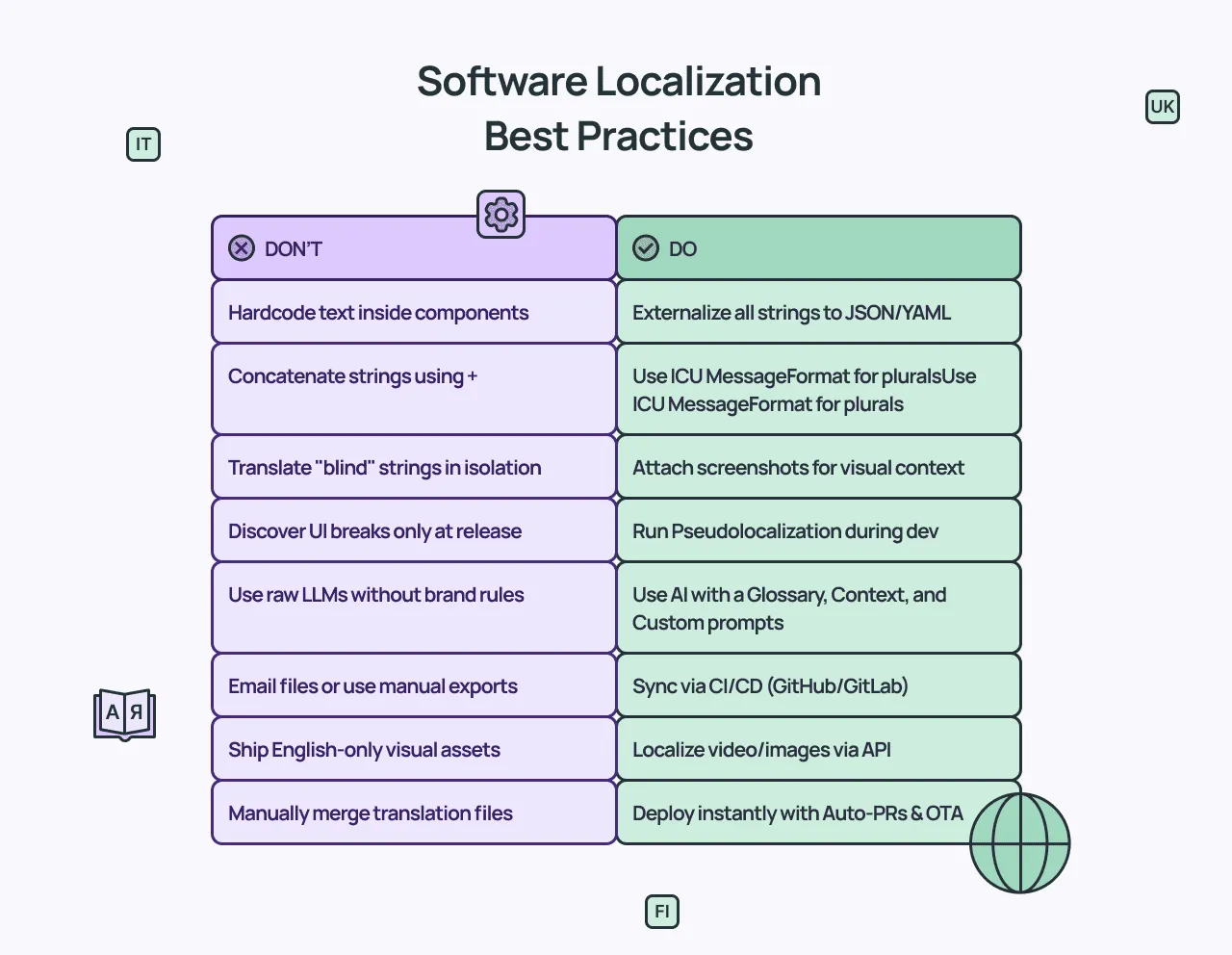
1. Zero Hardcoding Policy
Never leave user-facing text in your component logic. Externalize every string into resource files (JSON, ARB, YAML) from the very first commit. This treats content as data that can be managed independently of the deployment.
2. Mandatory Pseudolocalization
Use stress-tested versions of your strings during the development phase. This identifies UI overflows, layout breaks, and missing font glyphs before you ever send a single word for actual translation.
3. Standardize on ICU MessageFormat
Stop concatenating strings like "You have " + count + " items". This breaks the grammar of almost every language besides English. Use ICU syntax (e.g., {count, plural, one{# item} other{# items}}) so the AI understands the pluralization logic.
4. Semantic Key Naming
Avoid generic keys like btn_1 or text_label. Use descriptive, hierarchical keys like settings.privacy.toggle_label. This provides the AI with “path-based context”, and helps it understand the function of the string even without a screenshot.
5. Shift-Left Quality Checks
Integrate placeholder and syntax validation directly into your CI/CD pipeline. If a developer pushes a string with a broken variable or a missing closing bracket, the build should fail before the string reaches the translation phase.
6. Continuous Context Harvesting
Treat screenshots and developer notes seriously. Use the CLI or Figma plugin to ensure every new string is accompanied by visual context. If the AI doesn’t have to guess, it won’t hallucinate.
7. Consistency
Ensure your video scripts and image text layers are pulled from the same string keys as your UI. This guarantees that your documentation, tutorials, and app interface stay perfectly in sync across every language.
Why Localize Software? Industry Numbers
If you want a return on your engineering and marketing work, you have to remove the language barrier. Data from the last few years proves that language is the biggest point of friction for your users.
1. Reach 90% of the Global Market
You do not need to translate your app into every language on earth. According to CSA Research, by supporting just 14 key languages, you gain access to 90% of global spending power.
Without localization, you are limited to the 20% of the population that speaks English, leaving the vast majority of global wealth on the table.
2. People Buy What They Can Read
It’s a simple fact: users do not trust apps they cannot fully understand. CSA Research published other interesting numbers:
- 76% of users prefer to buy products in their native language.
- 40% of people will never buy from a website that isn’t localized.
3. Organic Visibility (SEO)
If a user in Spain searches for your tool in Spanish, and you only have an English site, you do not exist to them. Localization makes you searchable in every market you target. Read our guide on SEO localization.
Crowdin: Developer-First Software Localization Platform
Crowdin is an all-in-one software localization platform that brings these advanced concepts to life and serves as the single source of truth for your product.
Advanced AI Infrastructure
Crowdin does not just offer AI. The platform provides an orchestration layer that helps to receive up to 95% ready to publish AI translations:
- AI Pipeline: Instead of a single prompt, you can build a sequence of specialized steps to handle context analysis, translation, and QA separately.
- Vector Cloud: A semantic database that stores your TMs, glossaries, and brand assets as “vectors,” allowing the AI to match the meaning and vibe of your brand even without exact wording matches.
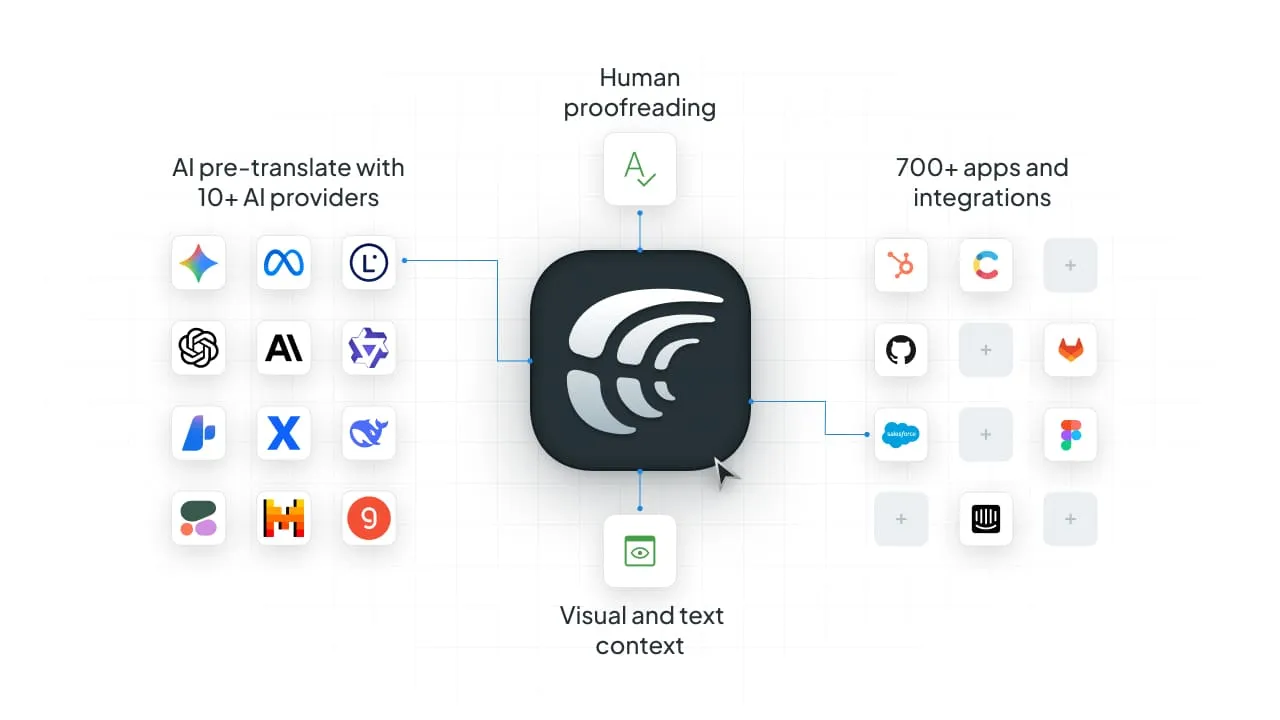
- 10+ AI Providers & BYOK: Experiment with leading AI providers or connect your custom AI module. With “Bring Your Own Key” (BYOK), you maintain full control over your data privacy and costs.
Automated Development Cycle
Crowdin integrates into your existing SDLC, so localization becomes a background process:
- CLI & Repository Sync: Automate the exchange of strings with GitHub, GitLab, and Bitbucket. When code is pushed, strings sync; when translations are ready, Crowdin opens a Pull Request. Learn more about Crowdin CLI.
- Webhooks & Events: Trigger notifications in Slack or Jira the moment a translation is completed or a “Missing Context” alert is raised. Crowdin also has an official n8n node.
- Over-the-Air (OTA) Updates: Deliver text fixes and new languages to mobile and web users instantly via a CDN, bypassing the need for App Store reviews or full redeploys.
Solve UI Ambiguity with Rich Context
Software interfaces are difficult to translate because short strings like “Post”, “Open”, or “Save” are meaningless without seeing the button’s location. Crowdin ensures neither your AI nor your human linguists are ever guessing:
- AI Context Harvesting: Use Crowdin Skills to let AI agents analyze your codebase and map technical UI context to your strings automatically.
- Figma Integration: Sync designs directly from Figma to Crowdin. The plugin automatically creates and tags screenshots, ensuring translators see the exact UI frame for every string.
- In-Context Editing: Translators can work directly on a live overlay of your web app, seeing their changes in real-time.
Multimedia Localization: Dubbing Studio
Modern software is more than just text. Crowdin Dubbing Studio allows you to localize video and audio content (tutorials, sales demos, game characters, marketing materials) directly in the platform.
- AI Dubbing & Lip Sync: Generate natural-sounding voiceovers in minutes and even sync the speaker’s lip movements to the new audio.
- Collaborative Audio Editor: Edit transcriptions, adjust timing, and mix background music or SFX without leaving your localization workflow.
Unified Ecosystem: 700+ Apps & Integrations
Localization doesn’t stop at the code. Crowdin acts as a bridge between every department in your company, supporting over 100 file formats and 700+ integrations:
- Marketing & CMS: Sync your website and campaigns from HubSpot, Contentful, or Adobe Experience Manager to ensure your brand voice is consistent across all touchpoints.
- Support & Knowledge Base: Localize your help articles and documentation by connecting directly to Zendesk, Intercom, or Salesforce Service Cloud.
- Design & Assets: Treat graphics like code by automatically swapping text layers in UI banners or documentation screenshots via Figma or Canva.
Success Stories of Software Localization with Crowdin
GitLab
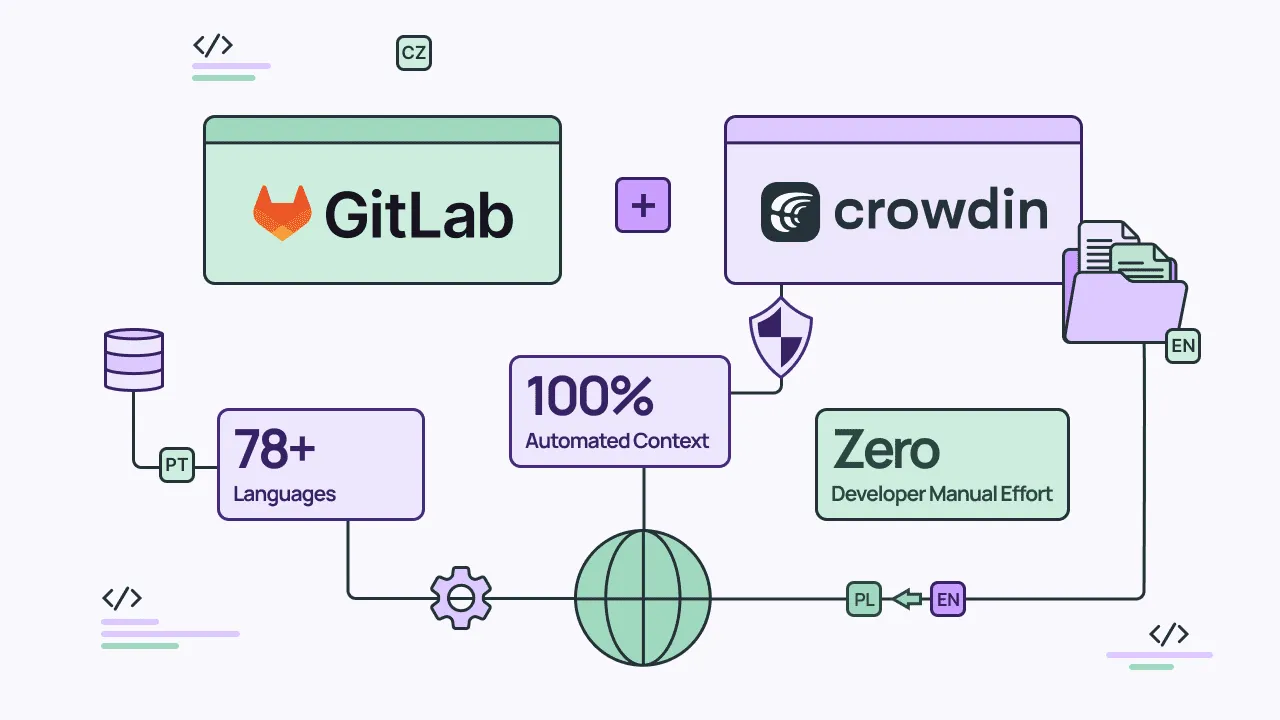
GitLab integrated Crowdin directly into their GitLab-native development workflow to solve the “translation lag” in their rapid release cycles. By automating the synchronization between their repository and the localization platform, they build a continuous localization pipeline.
Results:
- Support for 78 languages delivered at the pace of Agile sprints, ensuring global users receive feature updates simultaneously with the English release.
- Zero manual file exports; localization is now a background process in the SDLC. Read the GitLab Case Study.
Pipedrive
Pipedrive needed a way to manage localization without slowing down their 400+ daily contributors. By treating localization as infrastructure, they bridged the gap between decentralized development teams and centralized linguistic quality.
Results:
- Management of 24 languages and millions of words annually without increasing headcount or deployment friction.
- Developers can focus on building features, knowing the translations will just work by the time the code is deployed.
Read the Pipedrive’s Story or listen to the podcast with David Edwards, Group Design Manager of Internationalisation.
Stop chasing JSON files.
FAQ
1. How to find the best software localization solution?
- Define your project requirements, including language pairs and content volume.
- Prioritize features that are crucial to have in your case, like translation memory, workflow automation, or integration capabilities.
- Request demos to check user experience and support quality.
- Compare pricing structures.
- Read clients’ reviews from companies similar to yours.
2. What is the most efficient way to automate software localization?
The most efficient method is to integrate localization into your CI/CD pipeline via a CLI or API. Instead of manual exports, the system listens to your repository. When a developer pushes code to a feature branch, new strings are automatically synced to the localization platform. Once translated, the platform opens a Pull Request back to your repo, making localization a seamless part of the development lifecycle.
3. How does AI localization handle code variables and placeholders?
AI handles variables (like {name} or %d) using context-aware prompting. Modern platforms provide the LLM with the Key Path and developer notes, signaling that certain strings are code-logic, not just text. For complex logic like ICU MessageFormat, high-reasoning models ensure that pluralization and gender rules are adapted correctly without breaking the underlying code syntax.
4. Can I localize my app without a full redeploy?
Yes, through Over-the-Air (OTA) updates. By using a dedicated Localization CDN, you can push text changes, fix typos, or even launch new languages directly to your users’ devices. This bypasses the need for App Store reviews or a full production build, allowing for real-time linguistic hotfixes.
5. How do you prevent UI “breaking” after translation?
Developers use pseudolocalization to test UI resilience. This process replaces source text with elongated, accented characters (e.g., Settings becomes [!!! Śééttííññĝś !!!]) before actual translation begins. This identifies hardcoded strings that were missed and highlights layout overflows caused by languages like German or Italian that often take up more space than English.

Diana Voroniak
Diana Voroniak is a localization marketing professional with a background as a translator. She led the marketing team at Crowdin, driving growth through content, SEO, partnerships, and international events. She celebrates milestones, redesigns platforms, and spoils her dog and cat.